
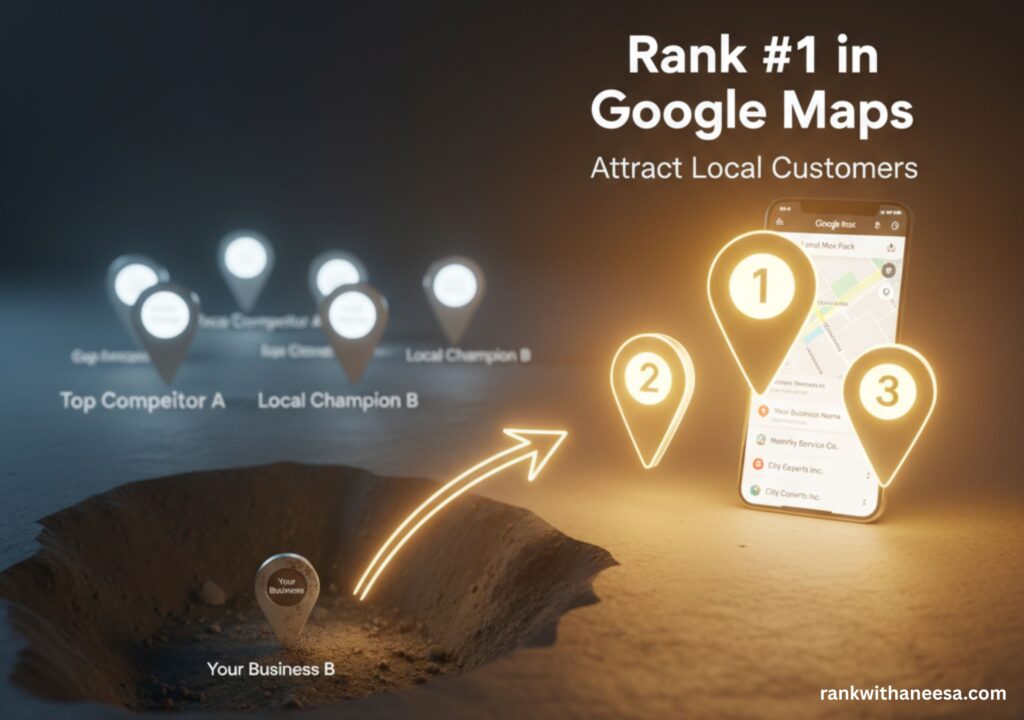
If your google business profile isn’t showing up in the Google Map Pack, you’re missing more than half of your potential customers every day. For local business owners, this is painful. You’ve built your website, added photos, and even collected a few reviews, yet your listing sits buried under competitors. The problem isn’t effort. It’s optimization.
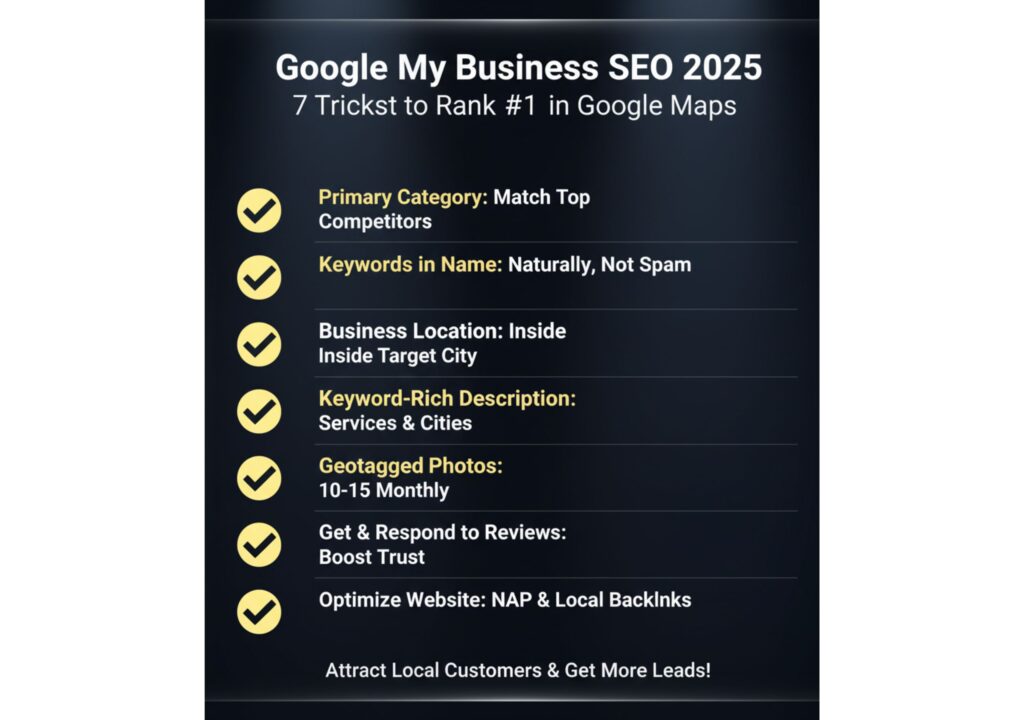
In 2025, Google My Business SEO (now called Google Business Profile SEO) decides whether you get local leads or lose them to someone else. The good news? You can fix it. With the right steps, your business can appear in the top 3 map results, the section most customers trust and click. This guide will show you seven proven tricks to boost visibility, improve rankings, and attract local customers who are ready to buy.
1. Choose the Right Primary Category
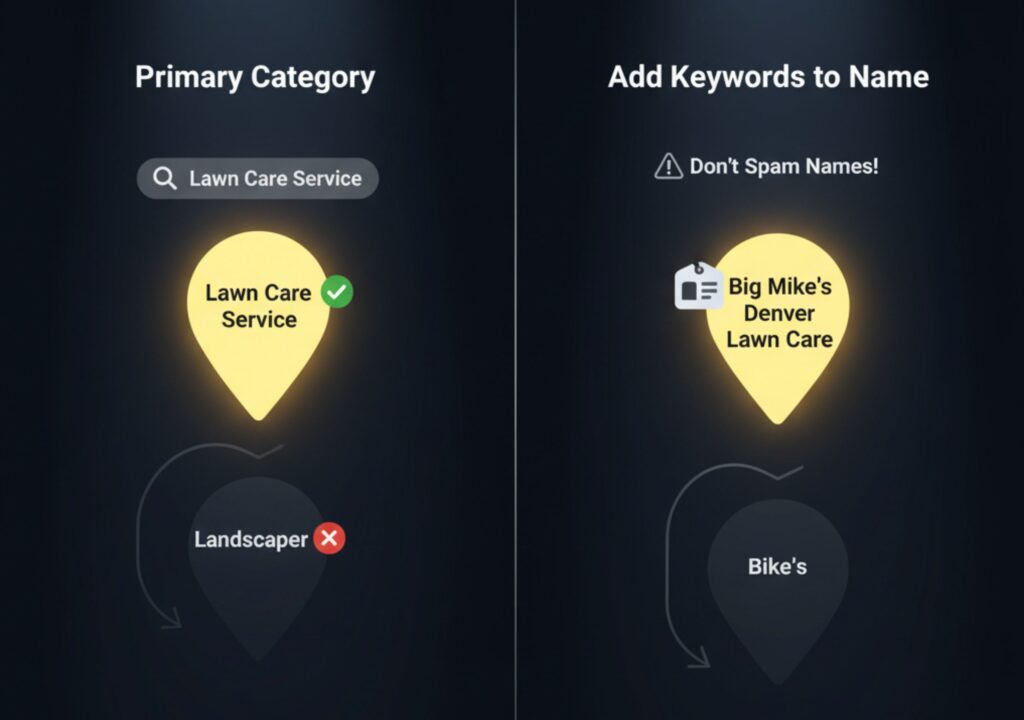
Your primary category is the most powerful ranking signal in Google Maps. It tells Google exactly what your business does. Many owners pick a similar-sounding option but miss the one Google considers most relevant.
To fix this, use the free GMB Everywhere Chrome extension. Search your target keyword on Google Maps and check what category the top-ranking competitors use. Match that category, it’s the one Google trusts most for that keyword.
Example: If you’re a lawn care company, “Lawn Care Service” ranks better than “Landscaper” for lawn-specific searches.
2. Add Keywords Naturally to Your Business Name
Your business name can help you rank, if used correctly. Include your target keyword in your official business name (without breaking Google’s rules).
For example, instead of “Big Mike’s,” use “Big Mike’s Denver Lawn Care.” This signals relevance to Google and helps you appear for location-based searches.
Tip: Only use keywords if they’re part of your actual brand name. Don’t spam or fake names, it can lead to suspension.
3. Set Up Your Business Location Inside the Target City
Google gives top visibility to businesses within city limits. If your location is outside the area you serve, you’ll struggle to appear in city-based searches. If moving isn’t an option, set up a co-working space or a virtual office within the target city. Google allows this as long as it’s staffed during business hours. Having a city-based address improves your proximity score, a major ranking factor.
4. Write a Keyword Rich Business Description
Your business description tells both Google and customers who you are, what you do, and where you operate. Write short, keyword-rich sentences that sound natural and clear.
- Mention your services and the cities you serve.
- Avoid stuffing too many keywords, it weakens trust.
- Fill out every section, including services and products.
Example:
At FreshWave Plumbing Toronto, we offer reliable drain cleaning, water heater repair, and emergency plumbing services for homes and businesses across Scarborough, Mississauga, and North York.
This helps Google understand your relevance across multiple areas.
5. Add Geotagged Photos and Videos
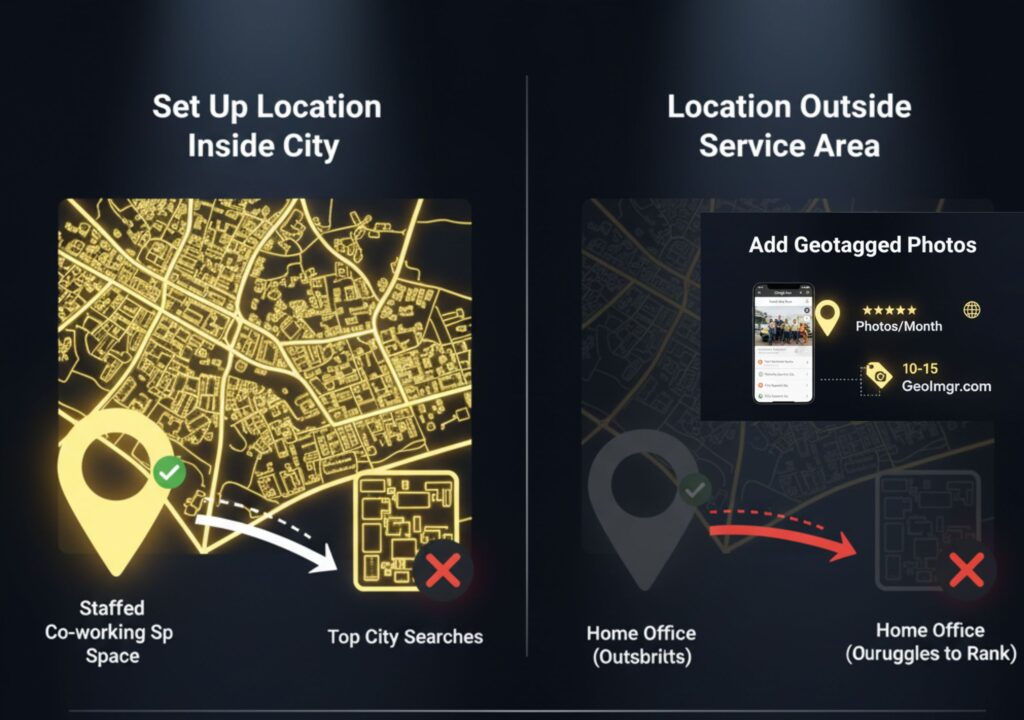
Google loves fresh, authentic visuals. Upload photos and videos regularly, of your team, work, or office. Before uploading, geotag them to your service area using a tool like GeoImgr.com. Geotagging tells Google where the photo was taken, confirming your local presence. It’s a subtle but effective signal for better local rankings.
Pro tip: Add at least 10–15 new photos every month. It keeps your profile active and builds trust with customers.
6. Get Reviews and Respond to Them
Reviews are one of the strongest ranking factors in Google Maps. The more positive, genuine reviews you have, the higher your listing will rank.
Ask every customer for a review right after you complete their job. You can text them your direct review link, it’s quick and effective.
💬 Example message:
“Thanks for choosing SparklePro Cleaning Services! We’d love your feedback. Could you please leave us a quick Google review? It helps us keep homes shining and improve our service
Always reply to reviews, positive or negative. Google sees this as engagement and rewards you with better visibility.
7. Optimize the Website Linked to Your Profile
Your website and Google Business Profile work together. Link your profile to a relevant landing page, not just your homepage.
The page should include:
- Your business name, address, and phone number (NAP)
- Keywords in the title, H1, and H2 tags
- An embedded Google Map of your location
- Local backlinks from nearby businesses or directories
Example: If you serve multiple cities, create a separate page for each one. This helps Google connect each listing to a specific area.
Build Local Links
Local backlinks tell Google you’re active in your community. Partner with nearby businesses, sponsor local events, or get listed on local directories. Even small mentions on local blogs or news sites can improve your authority and help you rank higher in Google Maps.
Frequently Asked Questions
1. How long does it take to rank on Google Maps?
It usually takes 4 to 8 weeks to see noticeable improvements if your profile is fully optimized. However, new listings or competitive cities can take longer. Stay consistent with updates, reviews, and photos — Google rewards activity.
2. Can I rank without a website?
Yes, you can rank without a website, but your chances are lower. A website gives Google more context about your services and location. If you don’t have one, create a simple landing page or free site using Google Sites and link it to your profile.
3. Why isn’t my Google Business showing up in search results?
Your business may not appear if it’s new, unverified, or missing key details. Make sure your address, phone number, and categories are complete. Also, ensure your business is located within your target city’s boundaries — this impacts visibility.
4. How many photos should I upload to my Google Business profile?
Start with at least 10–15 high-quality photos that show your team, location, and services. Then, add new photos every month. Google favors listings that stay active and visually fresh.
5. Do reviews really affect my Google Maps ranking?
Yes — reviews are one of the strongest ranking factors. More positive, authentic reviews increase your visibility and customer trust. Always respond to reviews to show engagement.
6. What is geotagging and why does it matter?
Geotagging adds a location tag to your photos before uploading them. It tells Google where the image was taken and helps verify that you’re active in your local area. This supports better map rankings.
7. Should I use keywords in my business name?
Yes, if they’re part of your real brand name. For example, “Eco Clean Vancouver” is fine. But adding keywords unnaturally, like “Eco Clean Best House Cleaning Vancouver,” can lead to suspension. Always keep it authentic.
8. How can I get more Google reviews naturally?
Ask right after service completion. Send a short text with your direct review link and thank your customers. Most will leave a review if asked politely. Never pay for fake reviews — it can hurt your profile.
9. Can multiple locations of my business rank on Google Maps?
Yes, each verified location can have its own Google Business Profile. Just make sure each one has a unique address, phone number, and local landing page. Avoid using the same phone number for all branches.
10. What are the top mistakes that hurt Google Maps ranking?
Common mistakes include:
- Wrong business category
- Inconsistent NAP (Name, Address, Phone)
- Missing reviews or fake reviews
- No website or local backlinks
- Inactive listings without updates or photos
Fixing these issues can quickly boost your visibility.
Conclusion
Ranking #1 in Google Maps isn’t about tricks. It’s about trust and consistency. Over 46% of all Google searches are for local businesses, yet most owners still struggle to appear in the Google Maps top 3, the section that gets over 50% of all clicks. In 2025, ranking on Google Maps is a strategy. With thousands of businesses competing locally, only those who master Google My Business SEO stay visible.
Google rewards businesses that look real, stay active, and engage with their local community. Follow these seven steps, optimize your category, location, photos, reviews, and website, and you’ll notice results within weeks. Remember, most local searches end in a visit or a call. The sooner your business appears in the top three, the faster you’ll see new leads coming in.
Ready to dominate local search? Get our expert SEO services today and start ranking at the top of Google Maps — where real customers find real businesses